AI CRM automation

AI CRM Automation for UK Businesses

Spend less time maintaining the CRM. Keep the information that actually matters.

Your CRM should help your sales team understand what is happening. It should not become another job they have to do after the real work.

But useful CRM information has to come from somewhere. Emails. Meetings. Enquiries. Notes. Tasks. Follow-ups.

Salespeople often end up copying, summarising and updating information manually just to keep the system current.

AI and automation can help reduce that work. We design AI CRM workflows that gather, structure and prepare useful sales information while keeping clear control over what AI is allowed to change.

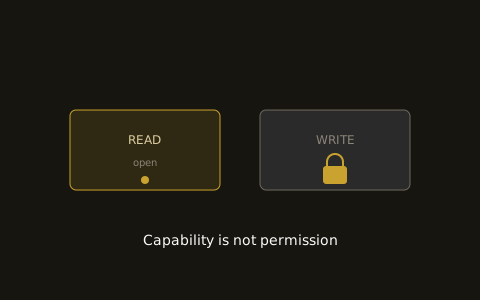
READ open and WRITE gated, showing capability is not permission
The CRM admin problem

The CRM is rarely the problem.

The work required to keep it useful often is.

A salesperson finishes a good conversation. Now they need to:

Write the notes. Update the contact. Change the opportunity. Record what the customer needs. Add the next action. Create a task. Possibly update another system. Then they can move on.

When things get busy, some of that happens later. Some of it gets shortened. Some of it gets forgotten. Eventually the CRM contains part of the story rather than the whole useful picture.

The answer is not necessarily asking people to complete more fields. It may be reducing how much information they have to enter manually in the first place.

What AI can help with

What can AI help with in a CRM?

Turn information from the sales process into something useful.

Meeting notes

Take information from permitted meeting notes or transcripts and structure it into a useful summary.

Contact information

Identify relevant information that may need adding or updating.

Opportunity updates

Prepare changes based on what happened during a conversation or interaction.

Next actions

Identify commitments and agreed next steps and turn them into suggested tasks.

Enquiry records

Take information from incoming enquiries and prepare the appropriate CRM record.

Email context

Extract useful sales information from relevant conversations rather than relying on somebody to copy it manually.

Missing information

Identify records where important agreed information appears to be absent.

Sales handovers

Prepare a concise history when an opportunity needs to move from one person to another.

The objective is not to put everything into the CRM. It is to capture the information your team will actually need later.

From conversation to CRM

From conversation to CRM

The admin should not take longer than the useful part of the meeting.

Imagine a salesperson finishes a call. During the conversation, the prospect explains what they need. They mention timing. They clarify who is involved. A question needs answering. The salesperson promises to send something. Another meeting should happen next week.

Without a workflow, somebody needs to turn all of that into structured information. With an AI assisted workflow:

01

The conversation ends

Permitted notes or transcript information becomes available.

02

AI identifies relevant information

It extracts the useful points based on the CRM fields and sales process you actually care about.

03

A summary is prepared

The salesperson gets a concise record of what happened.

04

Suggested updates are created

Relevant CRM changes and next actions are prepared.

05

A person reviews them

Where appropriate, the salesperson can confirm or correct the information.

06

Approved information reaches the CRM

The record is updated without somebody recreating the conversation manually.

For low risk and well understood updates, some steps may eventually happen automatically. For more important information, approval can remain.

Access is not authority

AI should not write whatever it likes into your CRM.

Your system of record needs rules.

Giving an AI access to a CRM is not the same as deciding what it should be allowed to do there. Those are separate decisions.

An agent might be allowed to

  • Read selected records
  • Search for an existing contact
  • Prepare a note
  • Suggest a field update
  • Create a task
  • Add approved information

But not

  • Delete records
  • Change commercially important information
  • Overwrite information it does not understand
  • Alter restricted fields
  • Merge records without review
  • Make significant changes simply because it inferred something from a conversation

Exactly what is appropriate depends on the business and workflow. Permission should follow the job.

The authority ladder

Read is different from write. And write is different from act.

We treat CRM authority in levels.
01ReadAI can retrieve agreed CRM information to understand context.
02RecommendIt can identify something that may need changing.
03PrepareIt can prepare the CRM update for somebody to review.
04Act with approvalIt can make the change after a person confirms it.
05Act within limitsIt can make specific, well understood updates independently.
06EscalateIf information is uncertain, conflicting or outside the agreed rules, it passes the decision to a person.

Not every field needs the same level of control. An agent could be allowed to create a routine follow-up task automatically while requiring approval to change an opportunity value or status. Authority should be specific.

Clarity before automation

Make the CRM useful before you automate it.

AI cannot fix fields nobody understands.

CRM automation works best when there is some clarity about what the information means.

If nobody agrees when an opportunity should move stage, AI cannot magically discover the correct rule. If the same field is used differently by different people, automating updates may make the inconsistency worse. If hundreds of fields exist but nobody uses most of them, automatically filling more of them does not necessarily create value.

Before automating CRM work, we ask:

Sometimes simplifying the CRM comes before automating it.

Want the thinking behind this?

The Agentic Selling knowledge hub covers the principles behind using AI responsibly within a sales process.

Explore Agentic Selling →
Connected workflows

Stop copying information between systems.

Your sales process should not depend on copy and paste.

A common sales workflow looks something like:

An enquiry arrives through the website. Someone reads it in email. They create the contact in the CRM. They copy the enquiry into notes. They create an opportunity. They create a task. Later, a meeting happens. New notes are added somewhere else. Another CRM update is required. Then somebody sends a follow-up.

The information already exists. The problem is that a person keeps having to move it. AI and automation can help connect those steps so information reaches the right place in a useful form.

Avoid duplicate data

Find the existing record first.

Duplicate data creates its own work.

Before creating another CRM contact, a workflow can potentially check whether the person or company already exists.

AI does not need to decide every matching situation independently. Clear matches can follow agreed rules. Uncertain matches can be presented to a person.

The objective is simple: Use the context you already have before creating more data.

Reading is useful too

CRM automation should help before the meeting too.

The information is only valuable if somebody can use it.

CRM automation is often discussed as data entry. But reading the CRM can be just as useful as writing to it.

Before a sales conversation, an AI workflow could gather:

The contact and company informationRecent conversationsOpen opportunitiesPrevious meeting notesOutstanding tasksRelevant commitmentsRecent changesQuestions that remain unanswered

Then prepare a concise brief. Instead of the salesperson clicking through records and reconstructing the history, the useful context comes to them.

From notes to tasks

Turn next actions into actual next actions.

Not just notes buried in a record.

A CRM can contain excellent notes and still fail to move an opportunity forward. Consider: "Send technical information and check back next Thursday."

That sentence contains work. A workflow could identify:

An information requestA promised actionA follow-up dateThe person responsible

It can then prepare the appropriate tasks rather than leaving the action hidden inside a paragraph. AI is particularly useful when information exists in unstructured language but needs to become part of a structured process.

Surface what needs attention

Surface records that need attention.

Sometimes the useful action is finding what has not happened.

An agent can help watch for situations such as:

The agent does not necessarily need to fix the problem. Sometimes its job is simply: "A person needs to look at this." That can be extremely useful.

Process before automation

Do not automate bad CRM habits.

AI does not fix a broken process.

If your team does not know what information belongs in the CRM, automation will not solve that. If your opportunity stages do not reflect how you actually sell, moving deals through them automatically will not improve the process. If every salesperson uses the CRM differently, an agent may simply reproduce the inconsistency faster.

This is why we map the process before building the workflow. Sometimes the first job is to clarify what should happen. Then we automate the parts worth automating.

Work with what you have

Use the CRM you already have where possible.

The goal is not to sell you another CRM.

Many businesses already have a capable CRM. The issue is making it work properly with the rest of the sales process.

Depending on the systems and integrations available, AI workflows may be able to work around your existing CRM rather than replace it. That could include connecting it with:

Website enquiriesEmailMeeting informationCalendarsFormsInternal systemsDocumentsOther sales tools

We look at what you already have first.

Buy the commodity, build the difference

Buy the commodity. Build the difference.

What should be custom? Usually, not the CRM itself.

The valuable part is often the logic around it.

That is specific to your business. That is where custom workflow design becomes useful.

A practical workflow

A practical AI CRM workflow

From enquiry to maintained opportunity.
01

Enquiry received

The workflow captures the information.

02

Existing CRM records checked

It looks for permitted matching contacts, companies or opportunities.

03

Context gathered

Relevant existing information is retrieved.

04

AI understands the enquiry

Useful details are extracted and structured.

05

CRM changes prepared

The workflow prepares any new record, notes or updates that are needed.

06

The appropriate action happens

Routine changes may be automatic. Others can wait for approval.

07

The salesperson gets the context

The lead reaches the appropriate person with useful information attached.

08

The conversation happens

The salesperson does the selling.

09

New information is structured

Relevant notes, commitments and next actions are prepared.

10

The CRM stays useful

Without the salesperson having to reconstruct everything manually.

How we work

How we build AI CRM workflows.

01

Understand

We look at how your team currently uses the CRM and where the administrative work comes from.

02

Simplify

We identify unnecessary steps, unclear rules and information that may not need to be captured at all.

03

Design

We decide where automation works, where AI helps and where human review remains important.

04

Control

We define exactly what the workflow can read and change.

05

Connect

We integrate the CRM with the appropriate parts of your sales process where technically practical.

06

Test

We test expected and unusual situations before increasing authority.

07

Improve

We review what the workflow is doing and adjust it based on real use.

Explore your CRM workflow

Frequently asked questions

Frequently asked questions

What is AI CRM automation?
AI CRM automation uses AI alongside conventional automation to reduce manual work involved in reading, structuring, updating and using CRM information. AI can be particularly useful where information begins as unstructured text, such as emails, enquiries or meeting notes.
Can AI automatically update our CRM?
Potentially, yes. Whether it should depends on the type of information. Some low risk, clearly defined updates may be suitable for automation. Other changes should be prepared for human review.
Can AI create CRM contacts from enquiries?
Potentially. A workflow can extract information from an enquiry, check for existing records and prepare or create the appropriate CRM entry depending on the rules and integrations available.
Can AI update the CRM after a sales meeting?
Yes, where the required meeting information is available to the workflow. It can structure notes, identify next actions and prepare relevant CRM updates for review or, where appropriate, automatic processing.
Can AI clean up our existing CRM data?
AI may be useful for identifying potential inconsistencies, duplicates or missing information, but CRM data changes need careful controls. We would define what can be safely changed automatically and what requires review.
Do we need to change CRM?
Not necessarily. We start by looking at the CRM and systems you already use. The available options depend on the integrations and access those systems provide.
Can an AI agent read everything in our CRM?
Technically possible access and appropriate access are not the same thing. We design around the minimum information and permissions needed for the workflow.
Which CRM systems can you work with?
That depends on the specific CRM, its available integrations and what you want the workflow to do. We assess the existing system as part of understanding the project rather than promising a connection before checking what is technically available.
AI CRM automation

Your CRM should remember the process.

Your salespeople should not have to remember the CRM.

The conversations still belong to your team. The relationships still belong to your team. The commercial decisions still belong to your team.

But much of the work required to structure, move and maintain the information around those conversations does not necessarily need to. That is where AI CRM automation can help.