AI sales meetings

AI Sales Meeting Preparation & Follow-Through

Better prepared before the meeting. Less admin after it.

A good sales meeting may last 30 minutes. The work around it can take considerably longer. Finding the account history. Reading previous emails. Checking the CRM. Looking for old meeting notes. Working out what is still outstanding. Preparing questions. Then afterwards: Writing notes. Updating the CRM. Creating tasks. Sending information. Recording commitments. Preparing follow-up. Remembering what happens next. AI can help with much of that work. And leave the actual conversation with the people.

AI before the meeting, a person in the meeting, AI around the work afterwards. The actual sales conversation stays completely human.

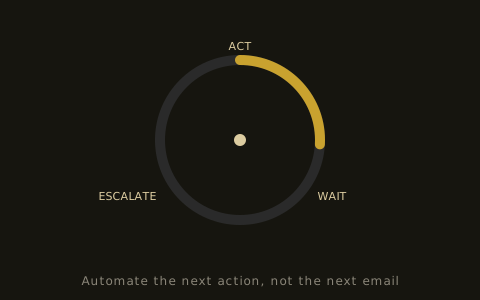
The follow-up loop cycling through act, wait and escalate
Before → Meeting → After → Next

AI before the meeting, a person in the meeting, AI around the work afterwards.

The actual sales conversation stays completely human. AI gathers the context, then steps back. The person listens, understands and decides. AI turns what happened into the next actions.

AI prepares
Before
  • CRM context
  • Previous conversations
  • Outstanding actions
  • Questions
Human
Human meeting
  • Listen
  • Understand
  • Question
  • Judge
  • Decide
AI prepares / Approved actions
After
  • Summary
  • Commitments
  • CRM update
  • Tasks
  • Follow-up

AI works around the human conversation. It does not replace it.

The meeting is not the problem.

The work around it often is.

Your salesperson may need information from: The CRM. Email. Previous meetings. Documents. Calendar notes. An internal system. An earlier proposal. A colleague. None of those systems is necessarily wrong. But somebody still has to assemble the picture. Then, after the meeting, the information has to move back out again.

That creates two obvious opportunities: Before the meeting: gather the useful context. After the meeting: turn the conversation into useful action.

Before the meeting

Give the salesperson the context they actually need.

A Meeting Preparation Agent could gather permitted information before a scheduled sales conversation. Depending on the business, that might include: Who the customer is. Who is attending. Previous interactions. Relevant CRM history. Open opportunities. Previous meeting notes. Outstanding questions. Actions your team previously promised. Actions the customer previously promised. Relevant documents. Recent account activity. Important internal context.

The output does not need to be enormous. In fact, it probably should not be. The job is to help the salesperson understand: What matters for this conversation?

A briefing. Not a data dump.

More information is not automatically better preparation.

A poor AI meeting brief might contain: Every CRM field. Every previous email. A company history. A giant summary. A list of irrelevant news. Generic suggested questions. Three pages nobody has time to read.

A useful briefing should be designed around the meeting. For example:

Why are we meeting?

The current reason for the conversation.

What happened last?

Relevant previous interaction.

What is outstanding?

Actions, questions or information still unresolved.

What should we know?

Useful account or opportunity context.

What needs clarifying?

Missing or conflicting information.

What might need attention?

Something the salesperson should know before the conversation begins.

Useful context beats more context.

AI can prepare. The salesperson can decide.

Meeting preparation does not need autonomy.

This is an excellent example of an AI workflow that may remain largely read-only. The AI can: Gather. Search. Summarise. Organise. Highlight. Prepare. Then stop.

The salesperson reads the briefing and decides what matters. No customer-facing action. No autonomous selling. No AI joining the meeting pretending to be a salesperson. Just better preparation.

The human conversation stays human.

This may be exactly where your people add the most value.

Sales conversations can involve: Listening. Curiosity. Judgement. Reading the situation. Building trust. Understanding nuance. Challenging assumptions. Negotiation. Relationship context. Commercial decisions.

AI can support those moments without needing to own them. The objective is not: "How can AI conduct the meeting?" It can simply be: "How can AI make our person better prepared for it?" Sometimes the best place for AI is around the human work.

During the meeting

Capture only what the later workflow genuinely needs.

Depending on your tools, permissions and process, meeting information might come from: Structured salesperson notes. Approved meeting transcripts. Existing meeting software. Post-meeting input. CRM notes.

The important question is not whether every word can be captured. It is: What information does the process need afterwards? That might include: Decisions. Questions. Requirements. Commitments. Objections. Actions. Dates. People involved. Relevant commercial information. Anything that changes the opportunity. Capture what has a job later.

After the meeting

Turn conversation into structured next actions.

This is where AI can remove a lot of repetitive work. A Meeting Follow-Through Agent could help: Summarise what happened. Identify decisions. Extract agreed actions. Separate your commitments from the customer's commitments. Identify unanswered questions. Prepare CRM updates. Prepare internal tasks. Prepare follow-up. Identify information that needs sending. Record an agreed future action. Flag something requiring another person.

The meeting ends. The process continues.

Who promised what?

This is one of the most useful things to capture.

Imagine the meeting ends with: "We'll send the revised pricing tomorrow. You'll speak to finance on Thursday, and we'll catch up again next Tuesday." There are several actions hidden inside one sentence.

Your business

Send revised pricing tomorrow.

Customer

Discuss with finance on Thursday.

Both

Continue conversation next Tuesday.

A useful workflow can separate those commitments. Because they should not all become: Task: Follow up. "Follow up" is not a useful next action.

Make the action specific.

"Follow up" is not a useful next action.

Compare: Follow up with James. with: Send James the revised pricing discussed in today's meeting by tomorrow afternoon. Or: Check whether the finance review happened before Tuesday's scheduled conversation.

The second version contains enough context to be useful. AI can help turn conversations into clearer actions while the information is still available.

Prepare the CRM update.

Do not make the salesperson rewrite the meeting.

The conversation may already contain the information your CRM needs. Instead of asking the salesperson to: Attend the meeting. Write notes. Open the CRM. Find the opportunity. Rewrite the summary. Change fields. Create tasks. Record next actions.

AI can prepare the relevant structured update. A person can review it. Then approved information can be written to the appropriate fields. The salesperson should not have to recreate information that already exists.

But do not let AI update everything.

Decide field by field.

Different CRM information has different consequences. Perhaps AI can safely prepare or update: Meeting summary. Next action. Internal notes. Routine activity information.

But fields such as: Opportunity value. Commercial stage. Probability. Important commitments. Contract information. Sensitive account status. may need stronger control.

The decision should be based on the field and the workflow. Not on whether the AI technically has CRM access.

Prepare the follow-up.

Based on the conversation that actually happened.

A post-meeting follow-up might need to reference: What was discussed. What was agreed. What your team is sending. What the customer is doing next. An unanswered question. A future meeting.

AI can use the permitted meeting context to prepare that communication. Then the workflow can decide: Does a person review it? Can certain routine communications be sent automatically? Does this particular situation need escalation? The answer does not have to be the same for every meeting.

Complete your actions before chasing theirs.

The workflow should know who is waiting for whom.

This matters. Suppose the customer agreed to review your proposal. But you also promised to send an updated specification first. Three days later, a simple follow-up automation might send: "Have you had a chance to review our proposal?" But they are still waiting for your specification.

A better workflow sees: Our commitment is outstanding. So the next action belongs internally. That is not primarily an email-writing problem. It is a process problem.

Who owes the next action?
We do

Complete our commitment first.

They do

Track the agreed customer action.

Unclear

Ask a person.

A Meeting Preparation Agent

Example job description

"Before every scheduled sales meeting, prepare a concise briefing using approved account, opportunity and previous conversation information."

The agent might: Detect the scheduled meeting. Identify the account. Retrieve permitted CRM information. Find relevant previous meeting information. Gather outstanding actions. Identify unresolved questions. Prepare a structured briefing. Make it available to the salesperson. Then stop.

A useful agent. Very little autonomy required.

A Meeting Follow-Through Agent

Example job description

"After an agreed sales meeting, turn the permitted meeting information into prepared CRM updates, commitments, next actions and follow-up for review."

The agent might: Receive the meeting information. Identify the relevant account and opportunity. Summarise what happened. Extract commitments. Identify unanswered questions. Prepare CRM changes. Prepare tasks. Prepare follow-up. Ask for approval. Record approved actions. Track future commitments. Escalate anything unclear.

The actual meeting remains human. The work around it becomes easier.

Before → Meeting → After → Next

These could be one workflow.

Before

Gather context. Prepare briefing. Surface outstanding issues.

Meeting

Human conversation.

After

Summarise relevant information. Extract commitments. Prepare CRM updates. Prepare next actions.

Follow-through

Complete internal commitments. Prepare customer follow-up. Track future actions.

Next meeting

Bring the resulting context back into the next briefing.

Now information flows through the sales process rather than repeatedly being reconstructed.

The work around the meeting

Which work the workflow reduces.

This is not a promise of specific time savings. It is a picture of which repetitive work a good workflow can take off the salesperson.

Before the workflow
  • Open CRM
  • Search inbox
  • Find old notes
  • Check calendar
  • Ask colleague
  • Prepare meeting
  • Attend meeting
  • Write notes
  • Update CRM
  • Create tasks
  • Write follow-up
  • Remember next action
With the workflow
  • Review briefing
  • Attend meeting
  • Review prepared actions
  • Continue selling
Authority can be different before and after.

One workflow. Several levels of control.

01Meeting preparationREAD (access approved information), PREPARE (create the briefing). No further authority required.
02Post-meetingPREPARE (create CRM updates and follow-up), ACT WITH APPROVAL (write approved updates or send approved communication).
03Routine internal actionsPotentially ACT WITHIN LIMITS (create agreed tasks or internal reminders).
04Unusual situationsESCALATE (ask somebody what should happen).

Authority belongs to the action, not the agent.

See how we set read, prepare, approve and escalate limits in AI agent governance.

What if the meeting information is wrong or incomplete?

Do not force certainty.

Meeting information may be: Incomplete. Ambiguous. Incorrectly attributed. Missing context. Contradicted by another system. Unclear about who owns an action.

A useful workflow should be able to say: This is unclear. And ask for review. For example: "The meeting appears to contain a pricing commitment, but I cannot determine whether it was confirmed. Review required." That is much better than confidently updating the CRM with an assumption.

What about meeting transcripts?

Treat them as an input, not the finished record.

A transcript can be useful. But it is not necessarily what the salesperson needs later. The useful output may be: What changed? What was decided? What was promised? What remains unresolved? What needs to happen next? Which information belongs in the CRM? Which information should not?

The workflow turns raw meeting information into structured sales context.

What about meeting summaries?

A summary is useful only if somebody uses it.

AI meeting tools can generate summaries easily. But if the summary sits inside another application and nobody uses it again, the process has not changed very much. The more interesting question is: Where should the useful information go next? Into: The CRM. A task. A follow-up. An internal question. A future meeting brief. An escalation.

That is the difference between generating meeting content and designing a meeting workflow.

Your CRM should not become a transcript archive.

Store what the sales process needs.

More data does not automatically create better sales information. A useful workflow should decide: What belongs in the CRM? What belongs elsewhere? What needs summarising? What should become structured data? What needs a task? What needs a future action? What should remain out of the record?

The objective is useful context. Not maximum storage.

What should stay with the salesperson?

The judgement stays with your people.

Depending on the business and meeting, that may include: Interpretation of the relationship. Negotiation strategy. Commercial judgement. Sensitive observations. Important account decisions. Changes to commercial terms. Unusual commitments. Complex objections. Decisions about how to progress an important opportunity.

AI can prepare information around those decisions. The person can still make them. See how this fits a wider team in AI for sales teams.

Start with preparation if you want low risk.

It can be a very sensible first AI workflow.

Meeting preparation has several useful characteristics. The job is clear. The information sources can be defined. The output is internal. The salesperson reviews it. The AI does not need to contact anybody. The AI may not need to change any system.

That makes it a good example of useful AI without significant autonomy. If it works well, the workflow can later extend into post-meeting preparation and approved actions.

Start with follow-through if admin is the problem.

Especially if meetings already generate useful information.

If your team already has: Meeting notes. Transcripts. CRM records. Email history. The opportunity may be connecting them. Instead of generating another summary, use the information to prepare: The CRM update. The tasks. The follow-up. The commitments. The next action. That is where AI begins participating in the process.

How we build an AI sales meeting workflow

From your process to a working workflow.

01

Understand the meeting process

What happens before, during and after?

02

Identify the information sources

CRM, calendar, email, meeting information, documents and internal systems.

03

Decide what preparation is useful

Not everything that can be gathered deserves to be in the briefing.

04

Define the post-meeting outputs

CRM updates, tasks, commitments, follow-up and next actions.

05

Set permissions

What can AI read, prepare, change or send?

06

Define approval

Which actions require a person?

07

Define escalation

What happens when information is incomplete or unusual?

08

Build the workflow

Using existing systems where practical.

09

Test real meeting scenarios

Including messy ones.

10

Improve from use

Based on what the salespeople actually find useful.

How do you measure whether it worked?

Not by how long the AI summary is.

Ask: Do salespeople spend less time preparing? Can they find the important context faster? Are outstanding actions easier to see? Is less meeting information lost? Are CRM updates more consistent? Are next actions clearer? Are internal commitments completed more reliably? Is less information being manually copied? Does the briefing actually get used? Do salespeople regularly correct the AI? Which parts create more work rather than less?

Activity is not value.

Related

See where meeting prep and follow-through sit alongside the rest of your sales process: AI sales agents, AI sales workflows, AI sales agent examples and AI CRM automation. Post-meeting follow-up (AI Sales Follow-Up) is covered in more detail soon. Learn more about agentic selling at agenticselling.io.

Show us how your process works
Frequently asked questions

The questions teams ask about AI in meetings.

Can AI prepare salespeople for meetings?
Yes. AI can gather permitted information from relevant systems and prepare a structured briefing before a meeting. The exact information depends on your business and workflow.
Can AI summarise sales meetings?
AI can help summarise permitted meeting information, but a summary is only one possible output. The information can also be used to prepare CRM updates, tasks, commitments and follow-up.
Can AI automatically update the CRM after a meeting?
Potentially, where the systems and permissions support it. We can also design the workflow so AI prepares updates for approval before anything is written.
Can AI identify actions from meetings?
AI can help identify actions and commitments from permitted meeting information. Ambiguous or commercially important items can be flagged for review.
Can AI prepare follow-up emails after meetings?
Yes. AI can prepare follow-up using the meeting context and relevant approved information. Sending can remain subject to human approval.
Do we need meeting transcripts?
Not necessarily. The workflow can use whatever appropriate structured meeting information your process provides.
Does AI need to join the sales meeting?
No. AI can add significant value before and after the meeting without participating in the live conversation.
Can this work with our existing CRM?
Potentially. The implementation depends on your CRM, meeting tools, information sources and available integrations.
Is this an AI agent?
It can be. A system responsible for preparing information before meetings or ensuring post-meeting work progresses could be designed as an agent. A simpler AI-assisted workflow may also be sufficient.
Keep the conversation human. Make the work around it smarter.

The meeting stays human. The admin gets smaller.

Before the meeting: Give your salesperson the context. During the meeting: Let them listen, think, ask questions and build the relationship. After the meeting: Turn what happened into useful information and clear next actions. Then make sure those actions do not disappear.

AI does not need to take over the conversation to improve the sales process. Sometimes its best job is making sure your people arrive prepared and leave with less admin.